
Day to day
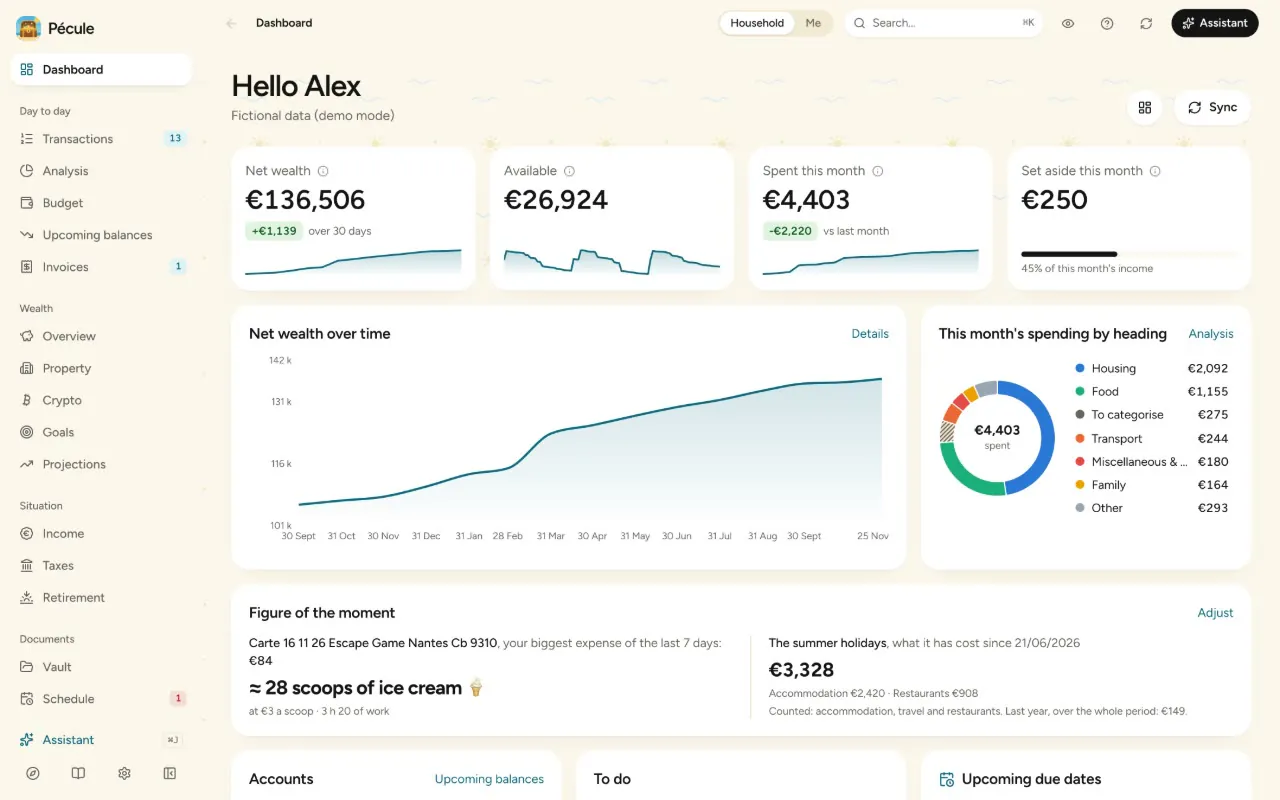
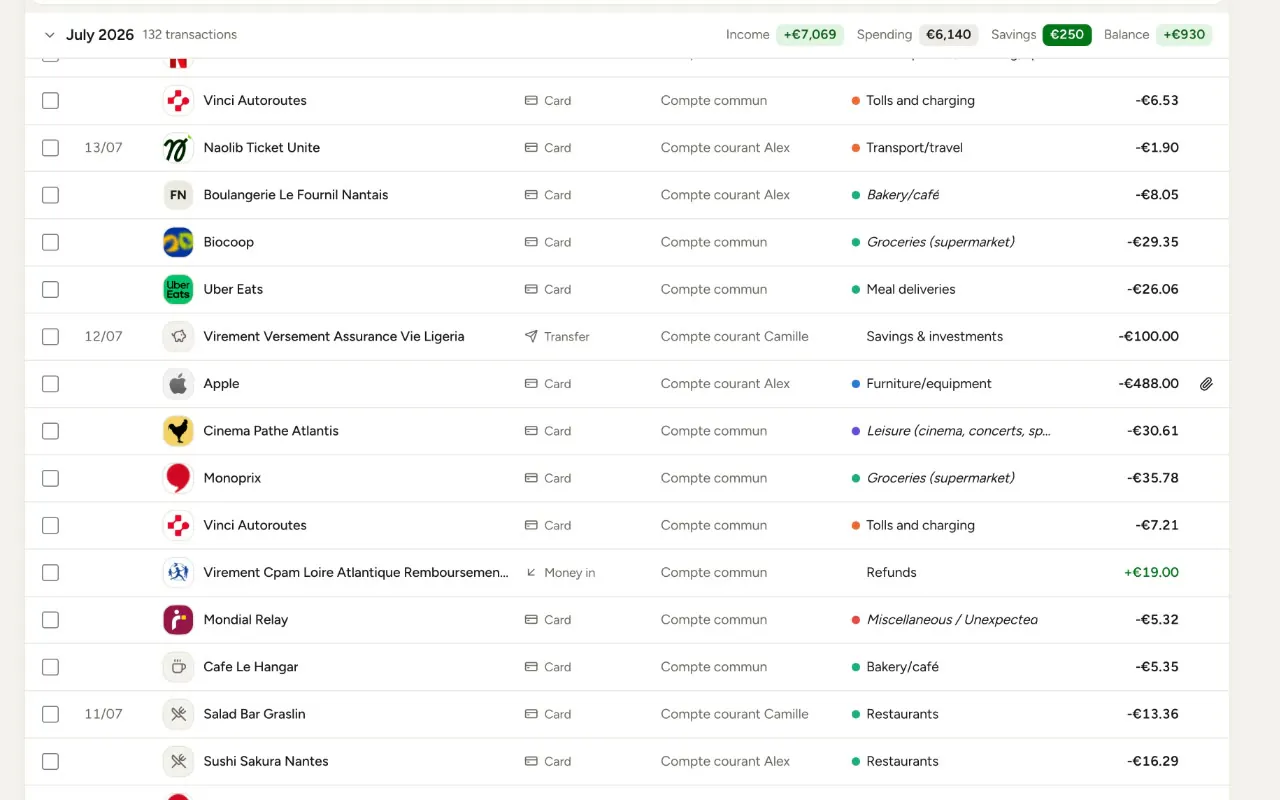
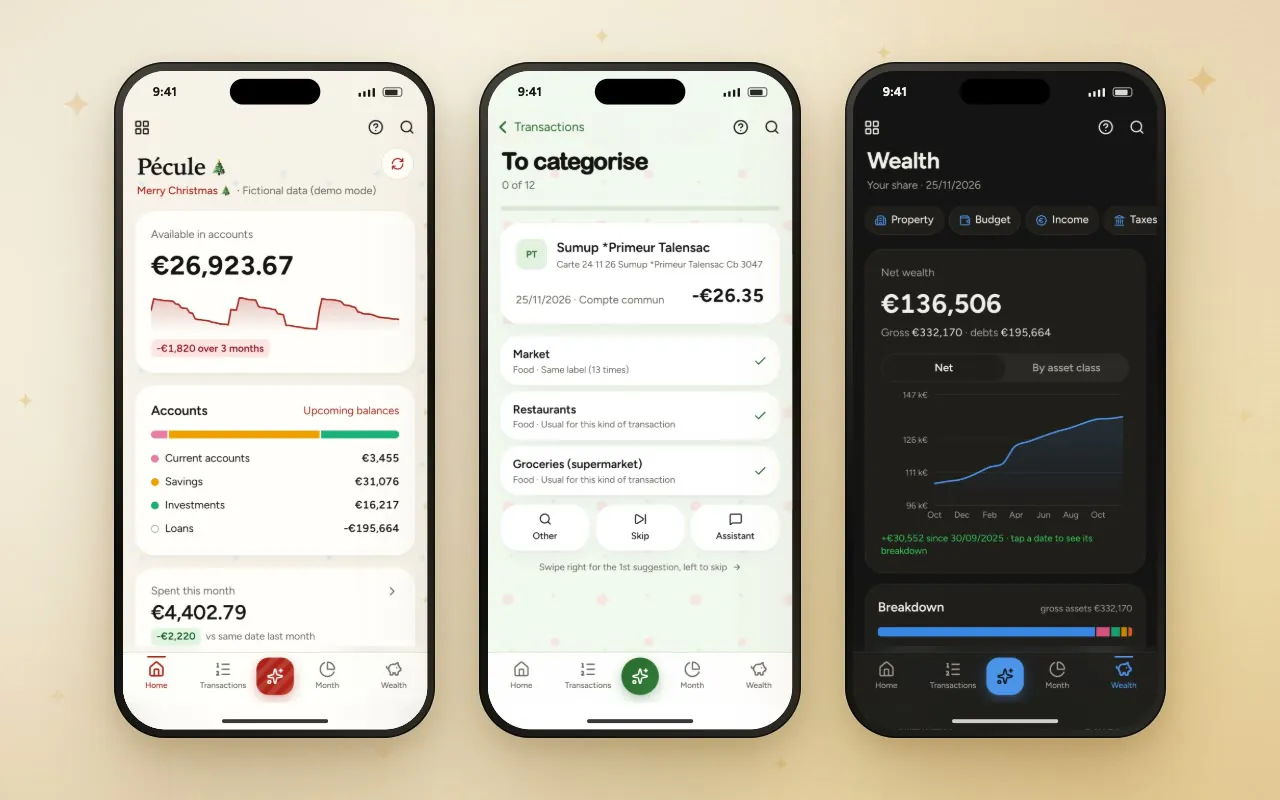
Every transaction in one place, categorised by rules you teach it. Budget envelopes, upcoming balances, a swipe-to-sort mode on your phone.
Cette page existe aussi en français

Accounts, budget, net worth, invoices, documents, taxes, retirement: Pécule brings it all together, on your own server. Free and open source.
Version 1.65.0 · Free · AGPL-3.0 licence
Free. Open source.
Your data belongs to you.
Never sold to third parties. No unsolicited contact.
Every transaction in one place, categorised by rules you teach it. Budget envelopes, upcoming balances, a swipe-to-sort mode on your phone.
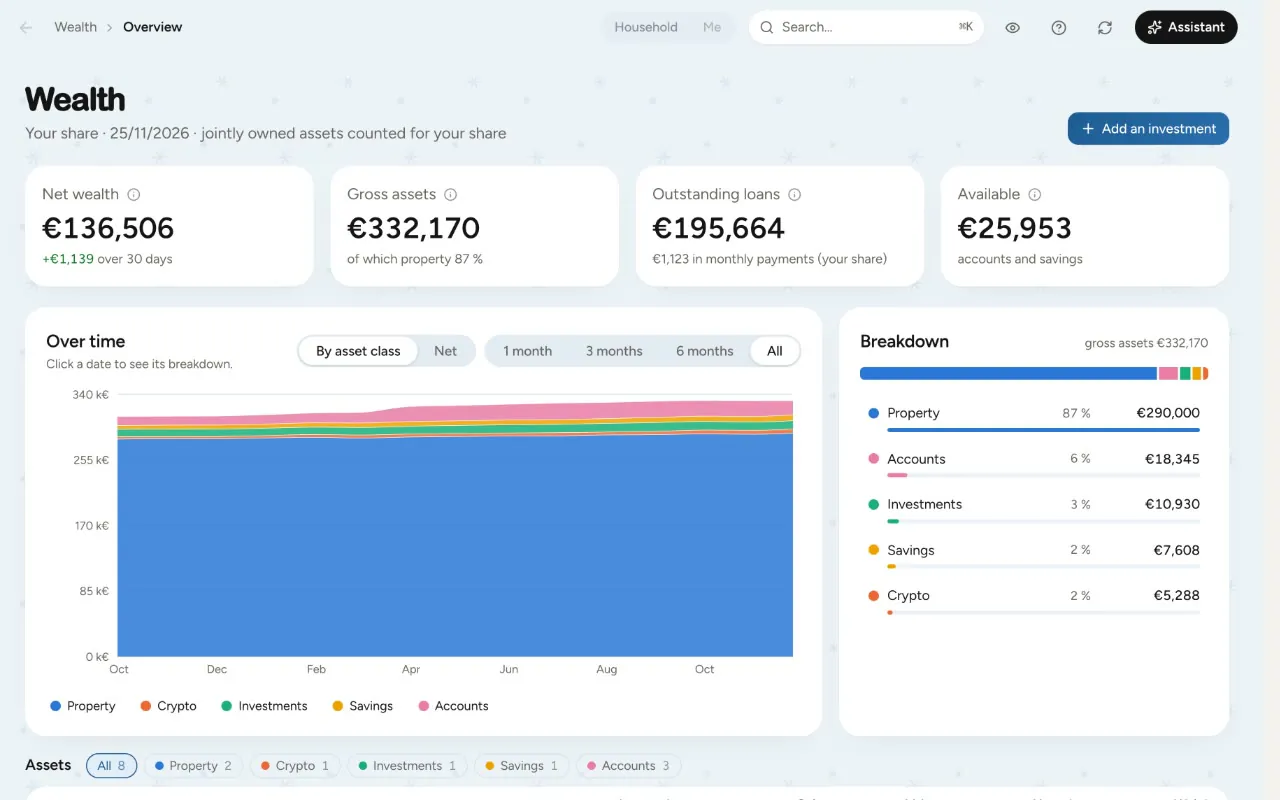
Savings, investments, property, loans with their schedules, crypto, projections: your net worth, day after day.
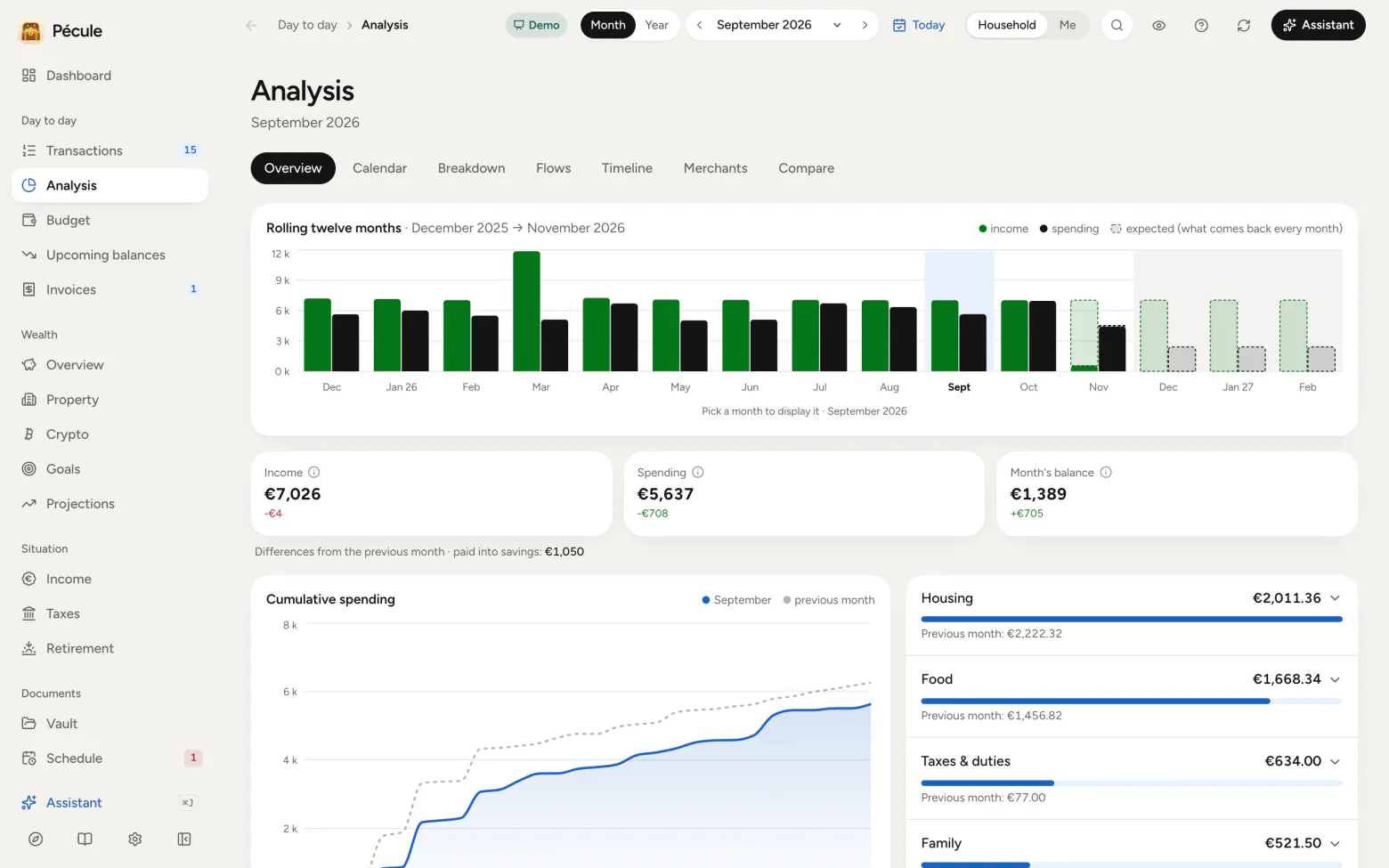
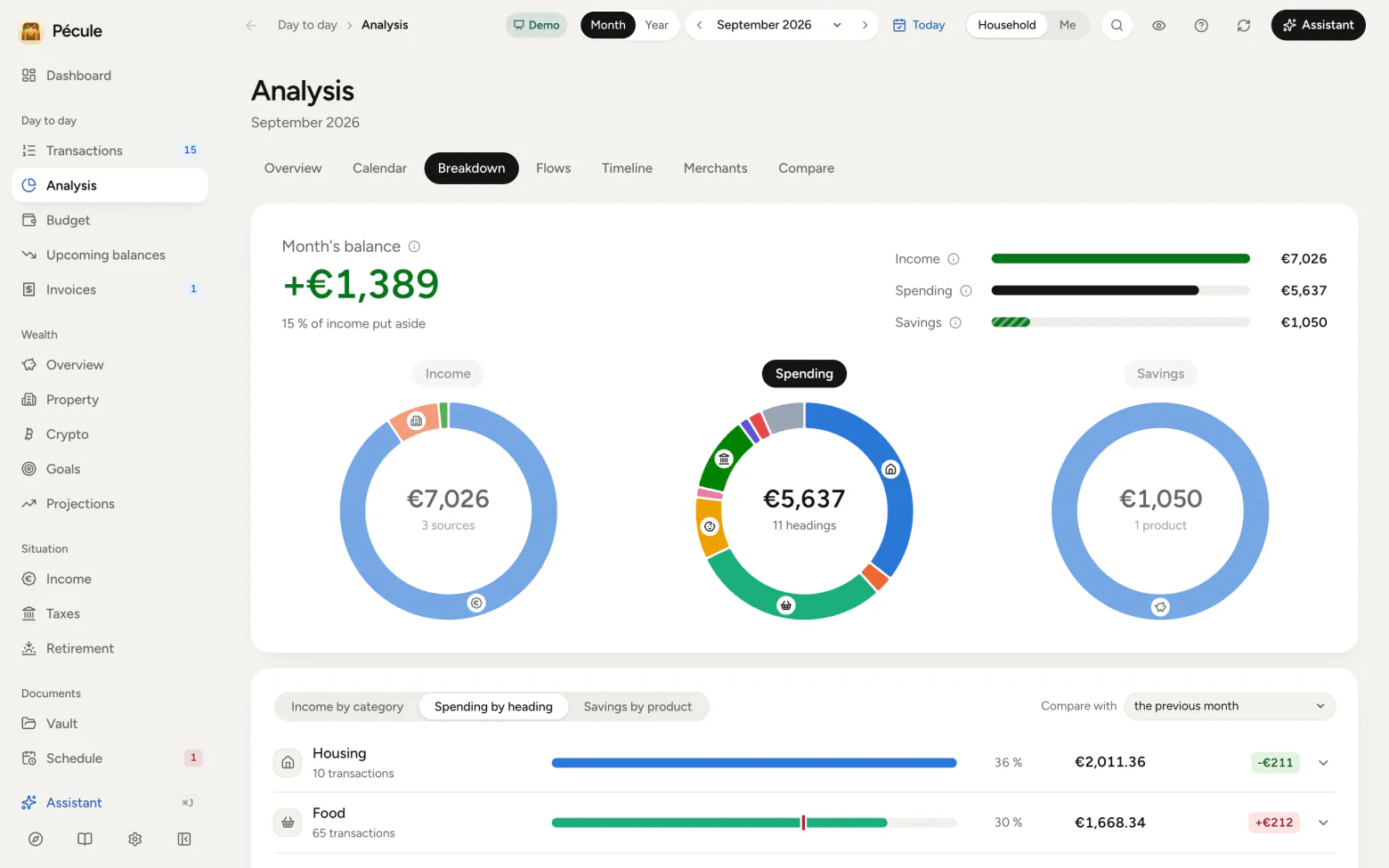
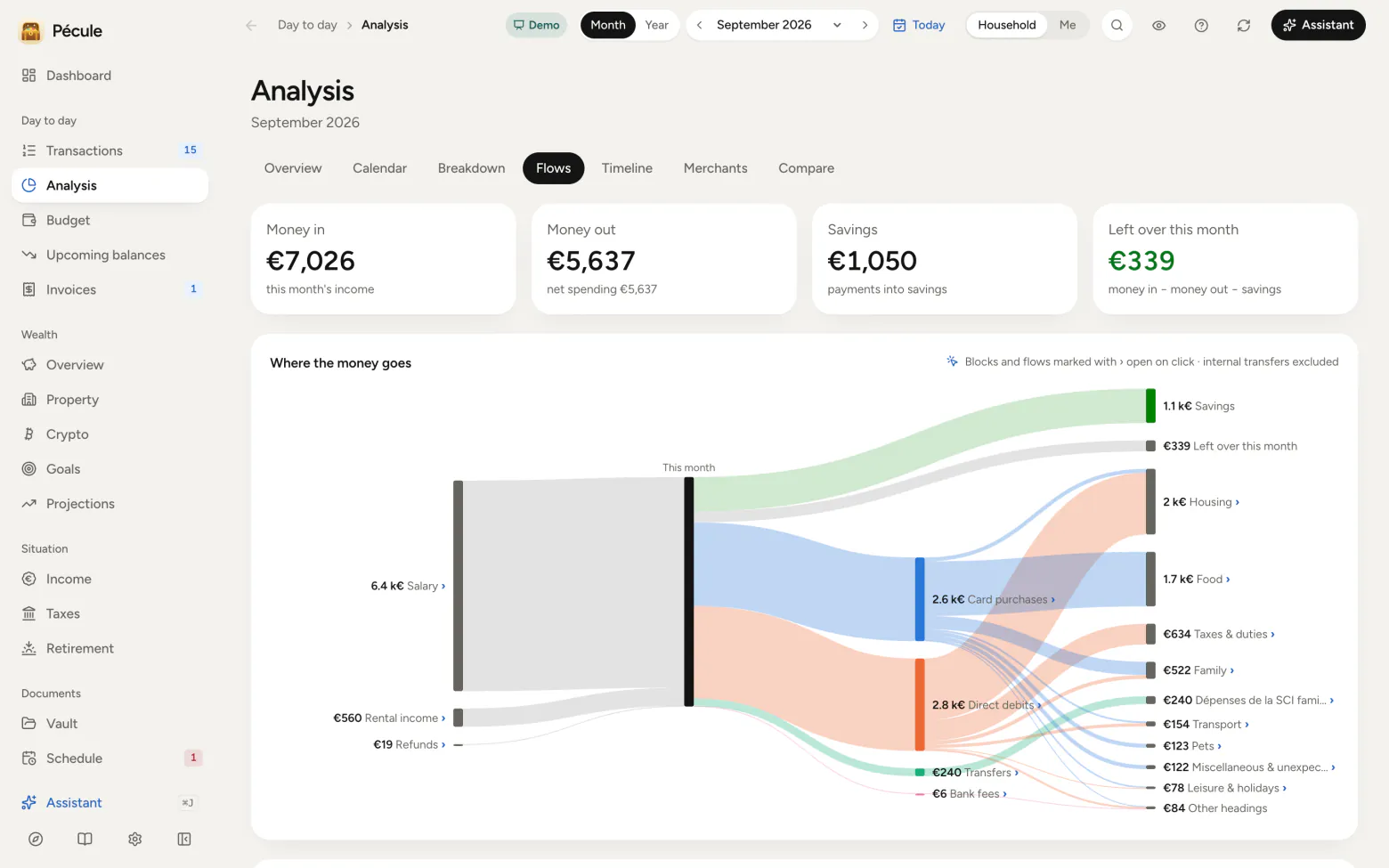
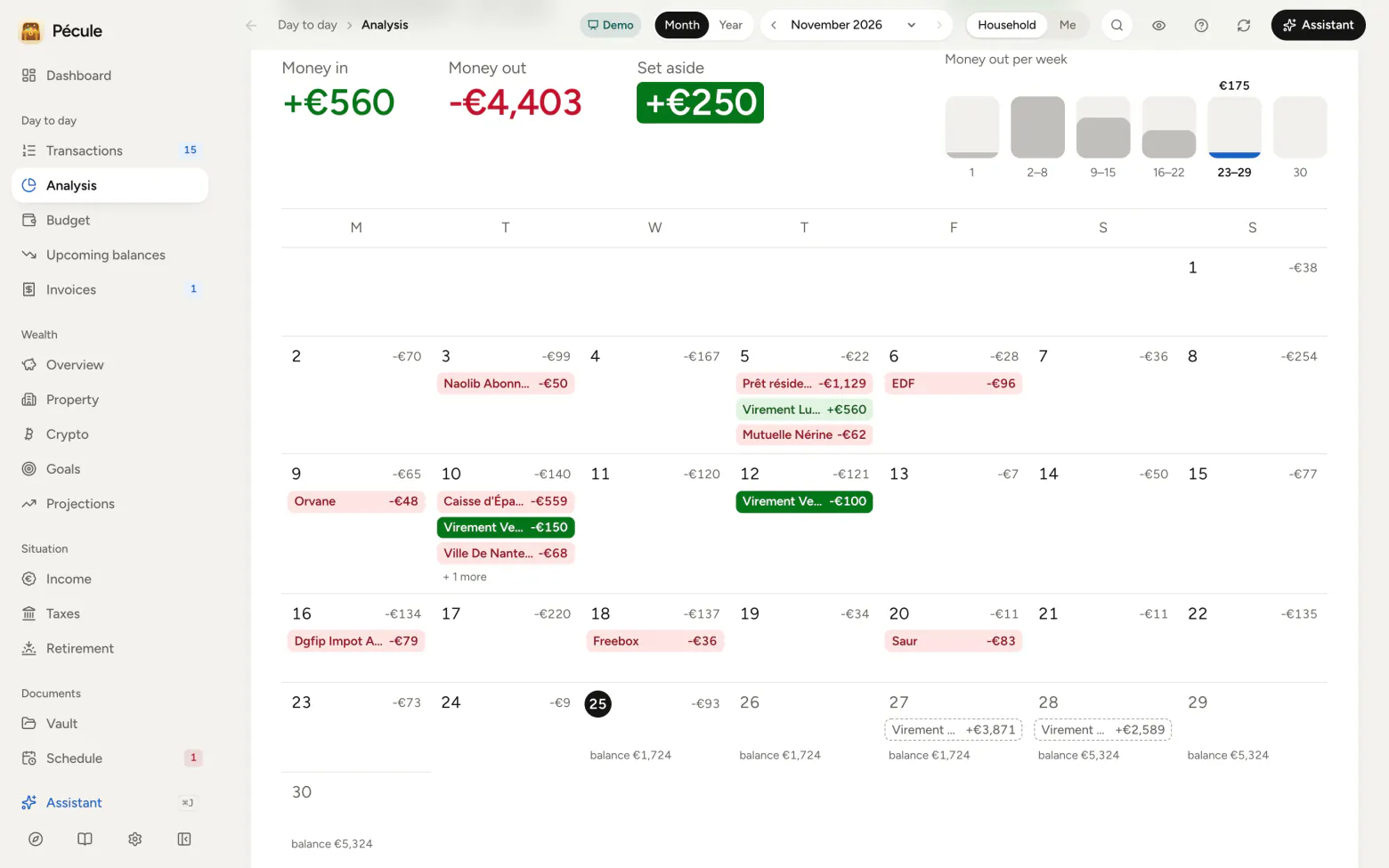
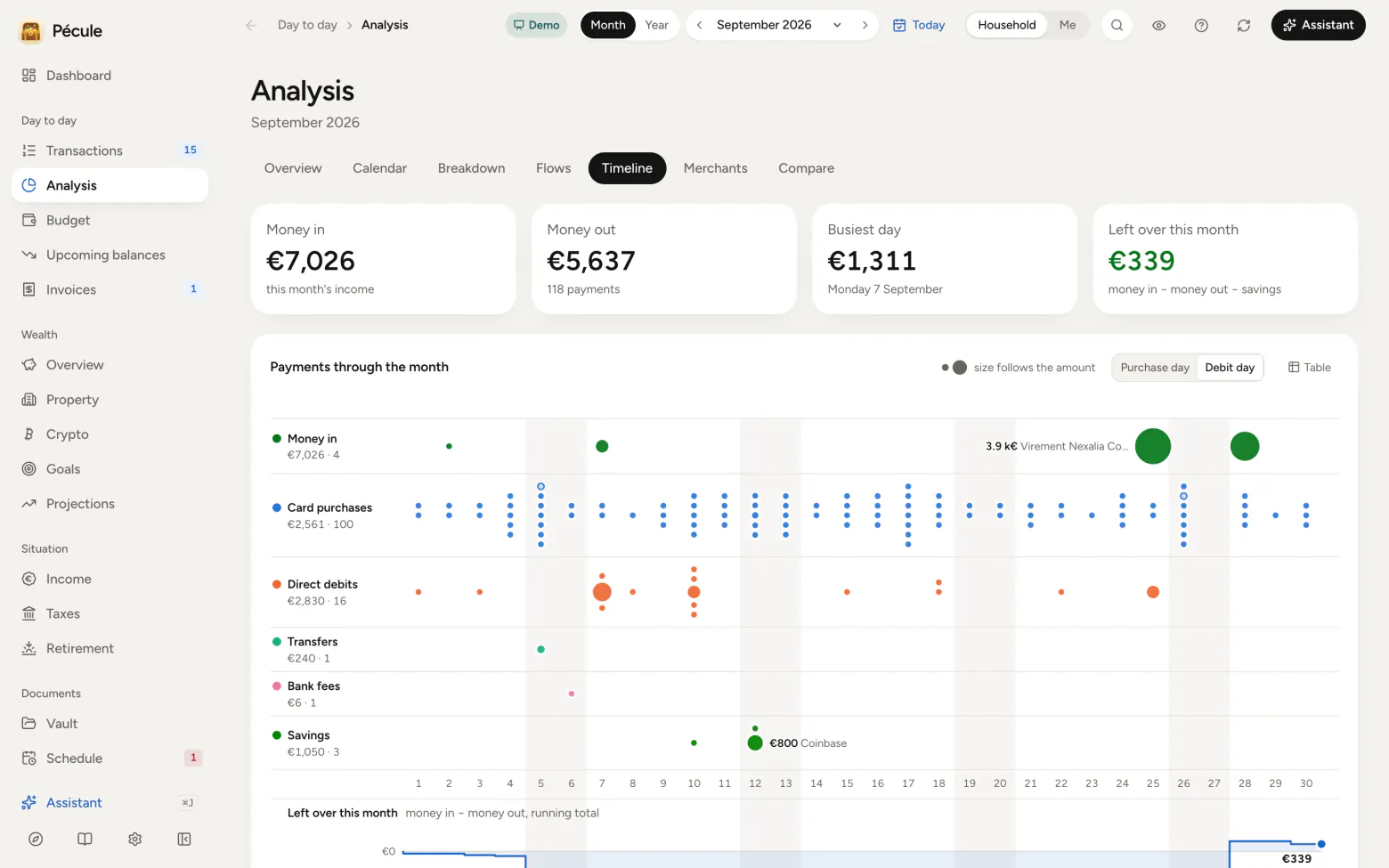
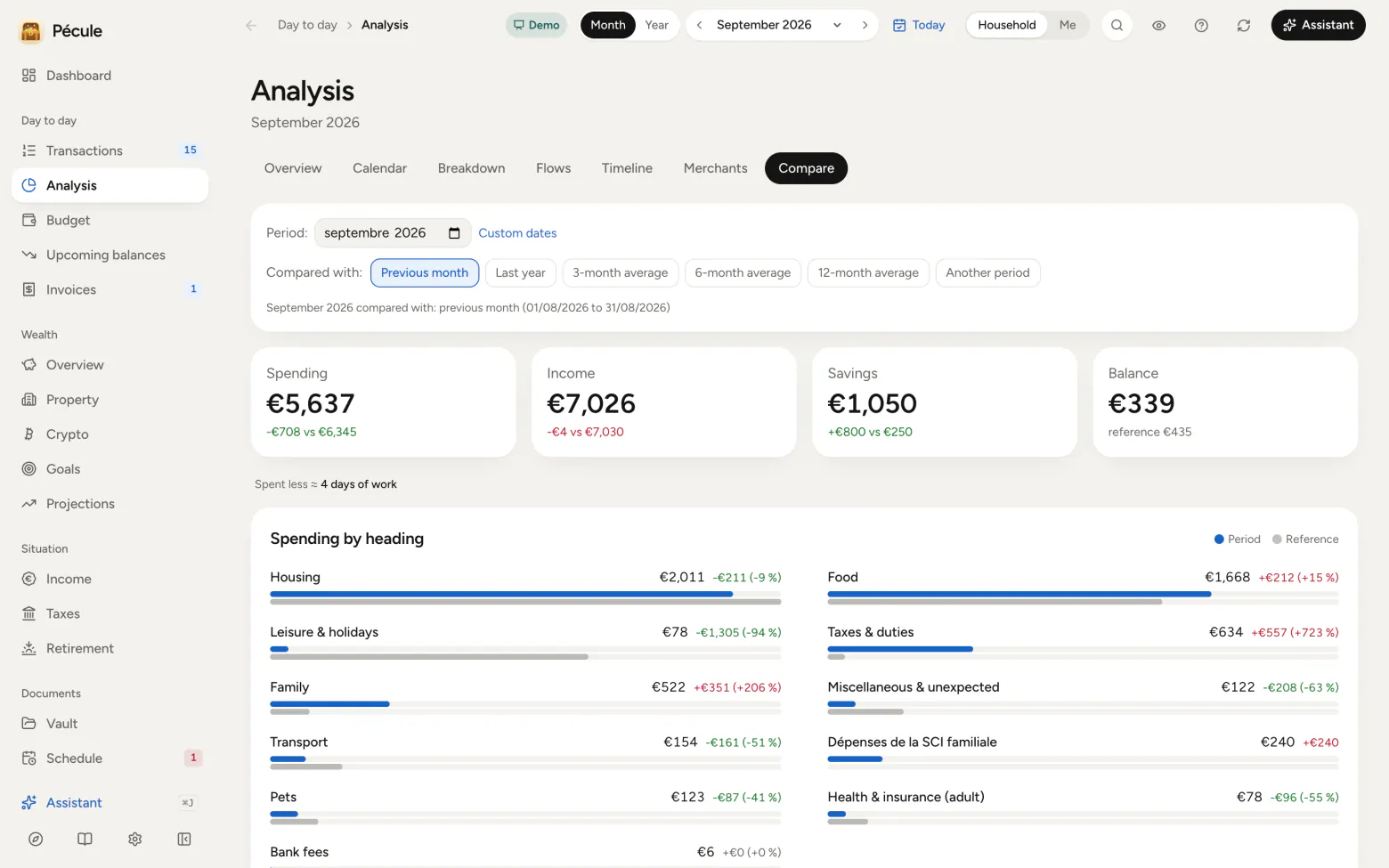
A month or a year from six angles, in charts you actually want to look at: the overview with its forecast, the breakdown in rings, the flow diagram, the calendar of debits, the payment timeline and a comparison of two periods. Everywhere, one click on a category opens its transactions.
Income and spending over twelve months, with a three-month forecast as a dotted line.
Three rings — income, spending, savings — and a bar per category, compared with last month, your average or last year.
Where the money comes from, and where it goes.
The month day by day: debits already taken, those still to come, and the projected balance.
Every payment is a bubble on its date; the curve shows what is left of the month.
A month against the previous one, last year or your average, category by category.
Electricity, gas, insurance, broadband, mobile, car, loan: hand it a quote and it compares it with your current contract — what you really paid over twelve months — and tells you whether it is worth it.
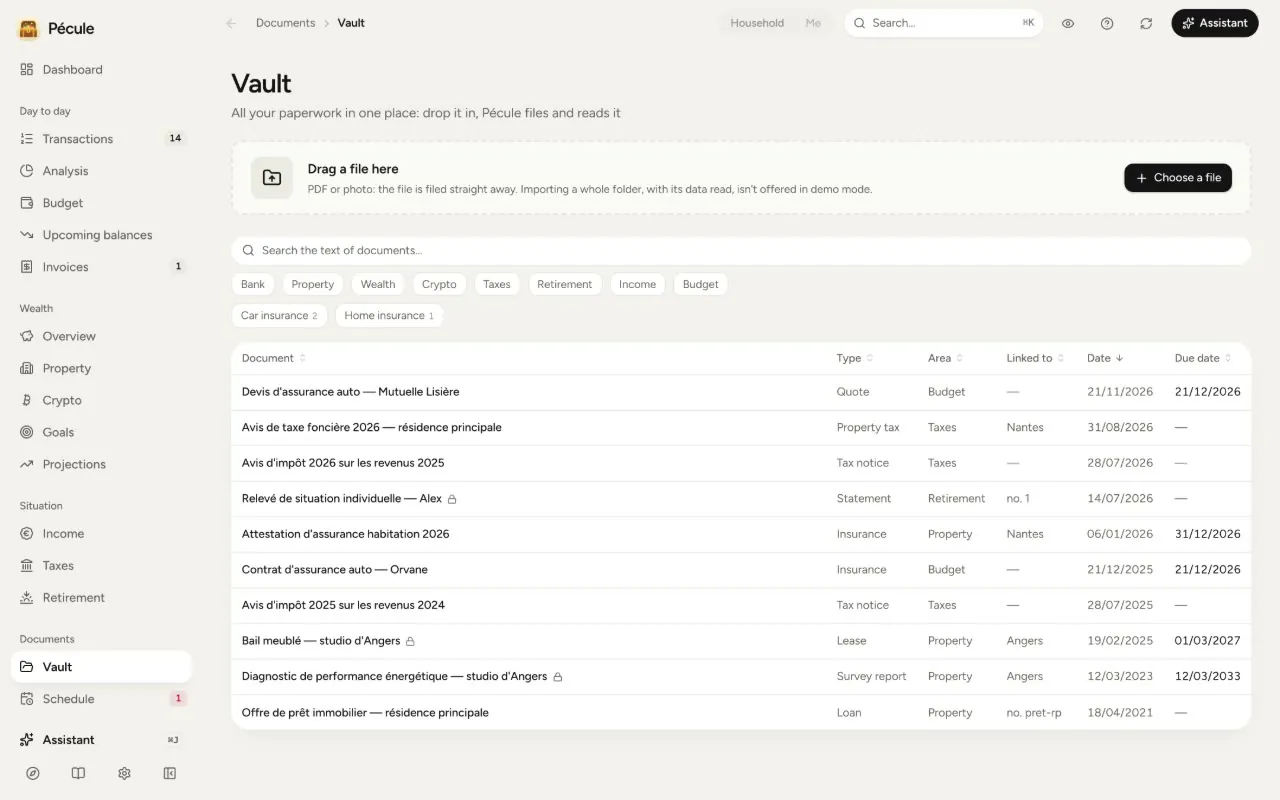
Drop a whole folder: Pécule files each document, reads the ones it knows and proposes the data. Nothing is written before you validate it, and every import can be undone.
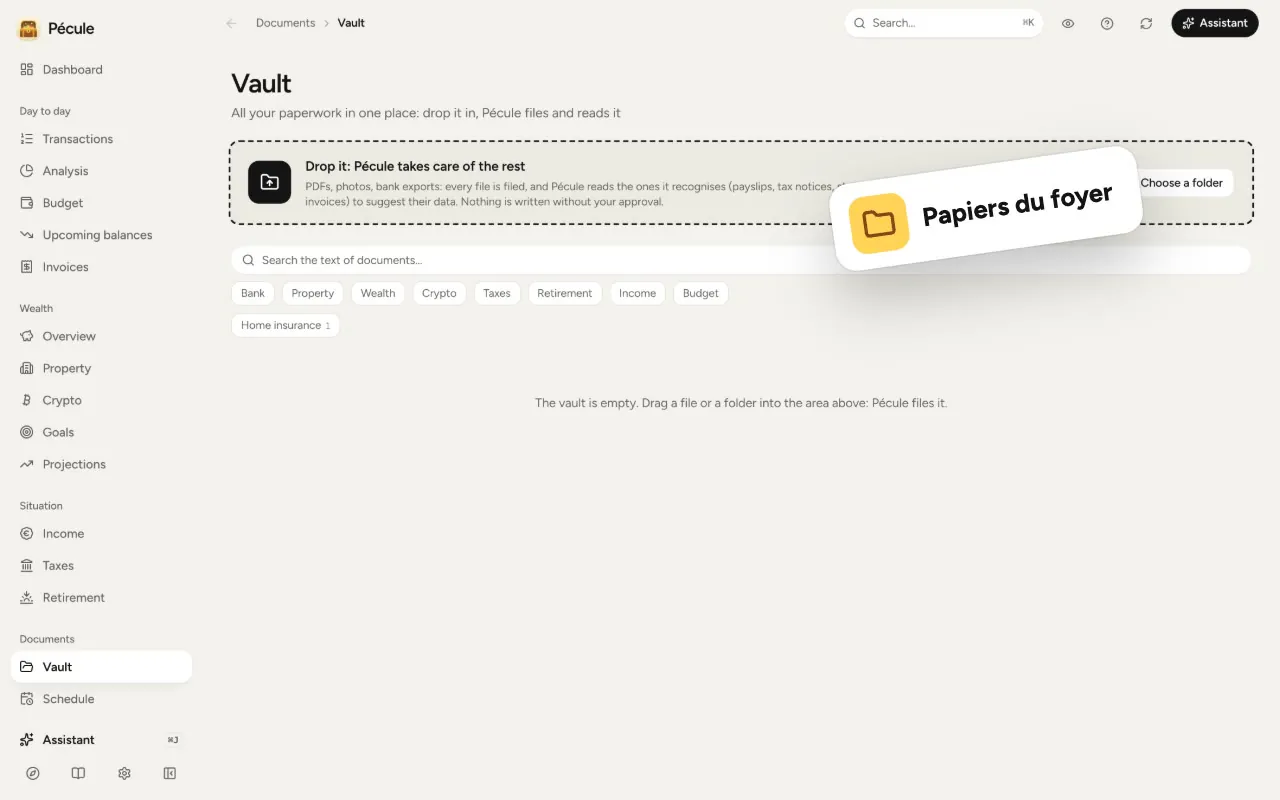
Each invoice matched to the transaction that paid it, item by item, with its warranties.
Drop in your payslips, one at a time or as a whole folder: Pécule reads gross pay, taxable net, tax withheld, net pay and bonuses. Thirty-six months of pay on one chart, for you or for the household if everyone shares theirs.

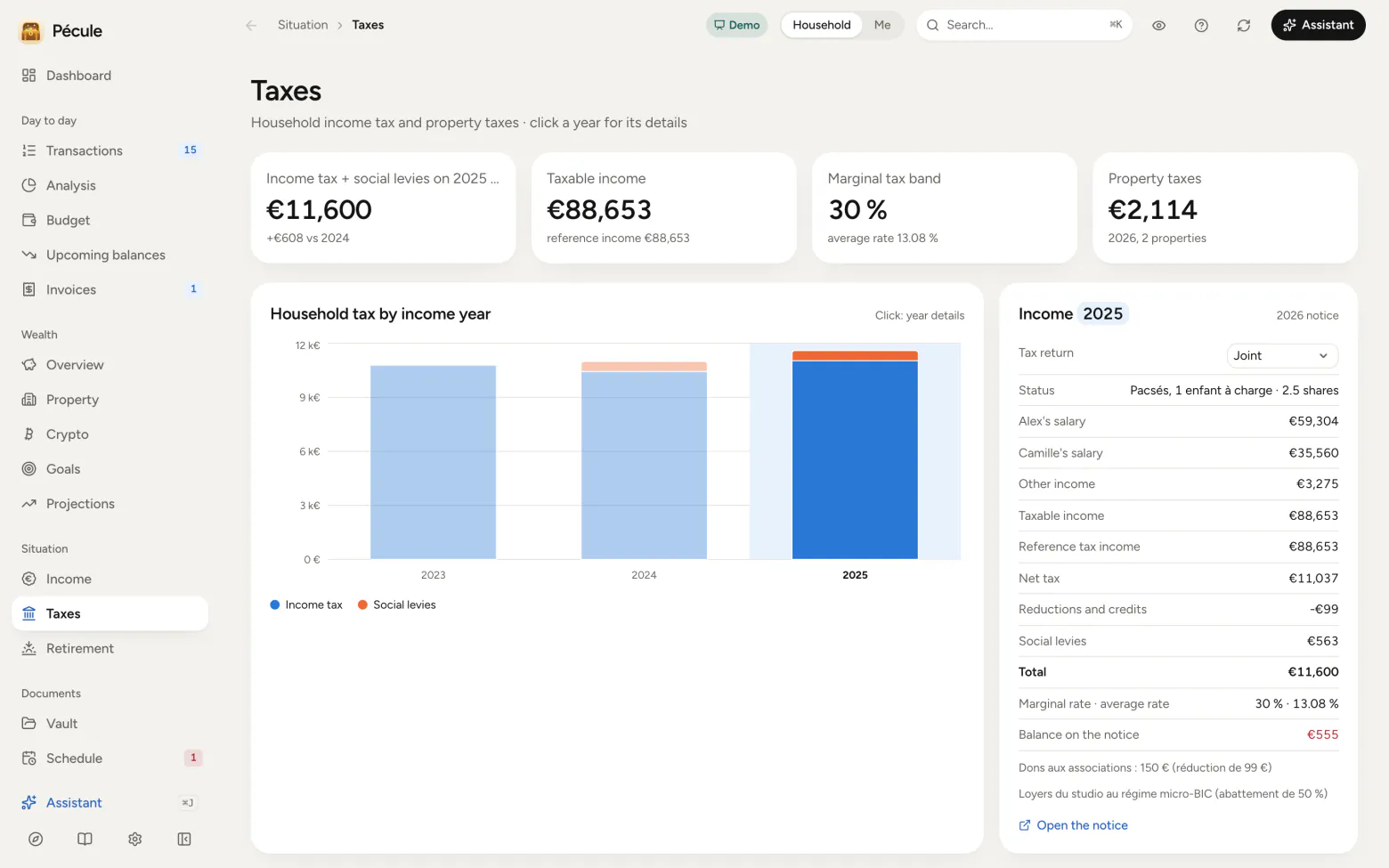
Drop your tax notices into the vault: Pécule reads them and traces your income tax — taxable income, net tax, social levies, marginal band, average rate, reductions and credits — and the property tax on each property. Joint or separate returns: each member keeps their own.
France firstThese two screens currently read French documents (tax notices, career record, pension estimate). Other countries will follow.
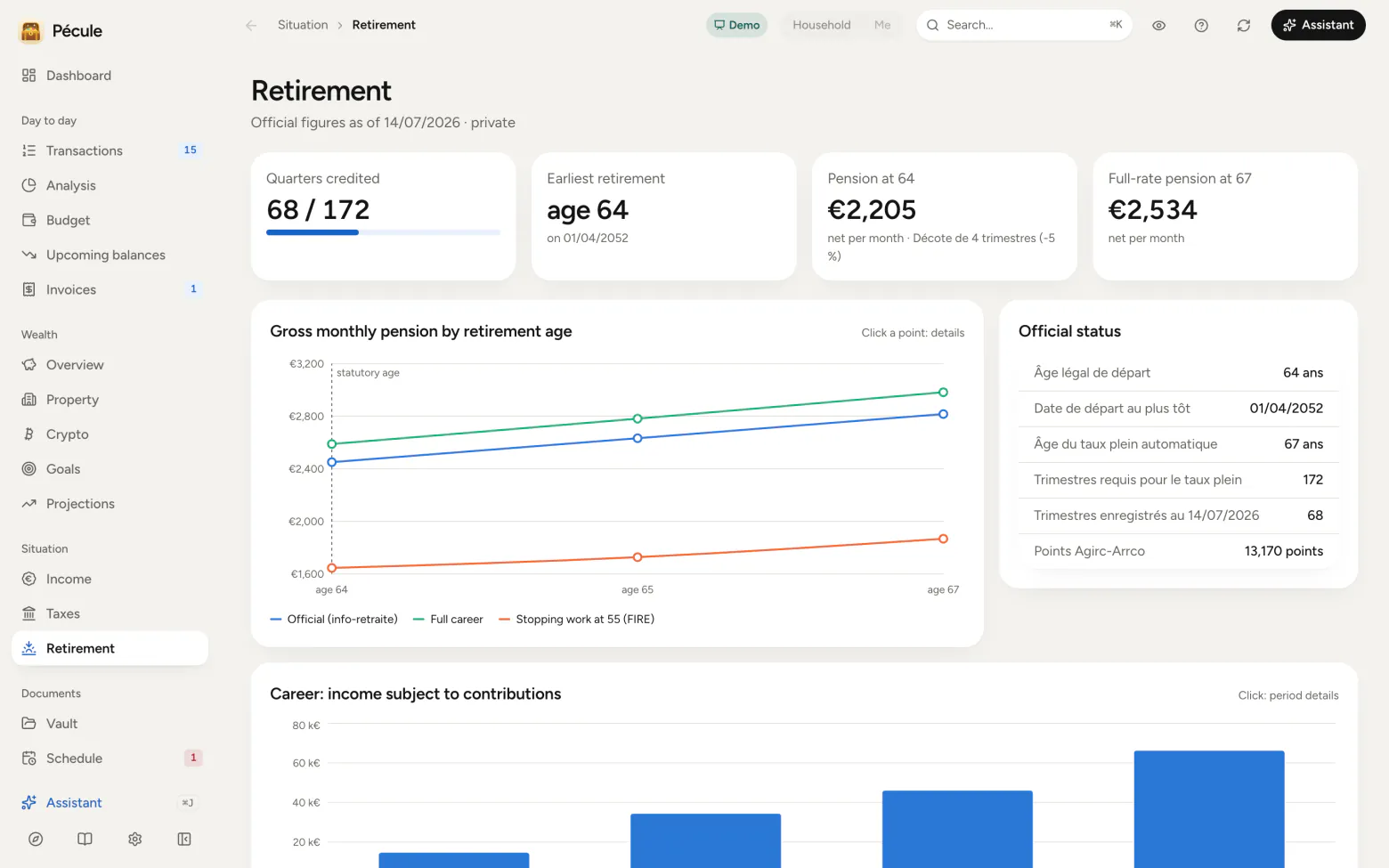
Drop in your career record or pension estimate: Pécule reads your quarters, your career and your pension by retirement age. Then compare the official simulations, a full career or stopping work at 55 (FIRE) — age by age, on the same chart.
France firstThese two screens currently read French documents (tax notices, career record, pension estimate). Other countries will follow.
Ask questions, by voice if you like. It acts, always with your confirmation. With your own AI key.

Each member has their own view; shared and private; passkeys instead of passwords; a demo mode to show the app without showing your accounts.

On desktop and on your phone, where Pécule installs like an app. In French, English, German, Italian and Spanish, in your currency.
Pécule speaks MCP: connect Claude or the AI assistant of your choice and ask for anything — find a transaction, categorise, analyse a month, compare a contract, update your wealth. It reads and acts on your Pécule, with the rights you grant.

A dashboard you arrange, seven colours, light or dark, and themes that follow the year: Christmas, Easter, Halloween, summer… With fun equivalents, a purchase also reads in litres of beer on St Patrick's Day or in scoops of ice cream in summer — and, all year round, in hours of work.


Screens from the demo mode: the family, the accounts and the amounts are fictional.
Pécule runs on your own server: your accounts, documents and history stay there. No account to open with the project, no telemetry, no ads. No data sold to third parties, no unsolicited contact.
AGPL-3.0: the code is public; read it, change it, host it.
One installation serves one household; the data stays in your database.
Nobody will call you to sell a loan or an insurance policy.
Your bank read-only with your own Enable Banking key; AI, if you want it, with your own key.
A machine that stays on: a computer, a NAS, a server (VPS) or Node.js web hosting. With Docker (the simplest: the app and its database together), or with Node.js 24 and a MariaDB 10.6+ or MySQL 8+ database. To open it from your phone: an https address.
No hosting yet? See my Hostinger referral link (20% off for you, a commission for me).
Claude Code, Codex, Gemini CLI, Cursor, Copilot: any agent that can run commands. Paste this:
Install Pécule for me by following the instructions at https://raw.githubusercontent.com/Enki-Engineer/pecule/stable/AGENTS.md — read the whole file with curl. I want to try it on this computer.
The app and its database together. Three commands — nothing to clone, no Node, no settings file to write.
curl -fsSLO https://github.com/Enki-Engineer/pecule/releases/latest/download/compose.yaml
docker compose up -d                                 # http://localhost:3000
docker compose exec pecule node scripts/lien.mjs # the link to open to create your householdOne command fetches the ready-to-run archive of the latest release, checks it and unpacks it into ./pecule, then prints the three commands that follow (settings, server, first link).
npm create peculeThe server is already built: download the archive, unpack it on your hosting and follow the installation guide.
Pécule is a free, open-source app that tracks a household's finances and net worth. It brings bank accounts, budget, net worth, invoices, documents, taxes and retirement together in a single web application that you install on your own server or computer: your data stays with you.
Yes: Pécule is free and will stay free. No subscription, no paid tier, no ads. Its code is public under the AGPL-3.0 licence; the project runs on voluntary donations, with nothing in return.
In your own database, on the machine where you install Pécule. No account to open with the project, no telemetry, nothing sold to third parties. If you switch on the assistant, what it reads goes to the AI provider you chose, with your own key — or stays on your machine with a local model.
Through Enable Banking (new tab), the official channel set by European regulation (PSD2): you give your consent at your bank, read-only, and Pécule never sees your credentials. You can also import your bank's files (OFX, QIF, CSV) or keep accounts by hand.
A machine that stays on: a computer, a NAS, a server (VPS) or Node.js web hosting. With Docker, three commands are enough; without Docker, you need Node.js 24 and a MariaDB or MySQL database. On an Apple-silicon Mac, an app installs with one command and carries its own database.
A little — or not at all if you have an AI assistant at hand: paste it the prompt from the Install section, and it follows the guide and installs Pécule with you. After that, Pécule tells its administrator when a new version is out and shows the command that installs it.
No. Without an AI provider, everything else works. If you want it — reading invoices and documents, the assistant — you plug in your own provider, including Claude, OpenAI, Mistral, Google Gemini, or an open model running on your machine.
Mostly, yes: the interface comes in French, English, German, Italian and Spanish, and the household picks its country, currency and time zone. Pécule was built for France and the euro first: the Taxes and Retirement screens currently read French documents. Other countries will follow.
For a household, of one person or several. Each member has their own view, with shared and private items; sign-in uses passkeys, or a password where a passkey cannot be used. One installation serves one household.
Yes. Pécule exposes an MCP server: connect Claude or the assistant of your choice, read-only or with actions, and ask it to find a transaction, categorise, analyse a month or compare a contract.
An online app keeps your accounts on its servers; Pécule runs on yours, and its code is public. It also goes beyond budgeting: net worth, loans, invoices, a document vault, payslips, taxes and retirement all live in one place.
No public demo for now: the video and the screens on this page stand in for it. Once Pécule is installed, its demo mode shows the app with a fictional family, without showing any of your accounts.
Yes, openly. Pécule is built by one person with AI coding assistants: most of the code is written by Claude Code, under the direction of its author, who decides what gets built and runs every release at home first, on a real household's finances. Every change goes through automated checks before it is published — more than a thousand tests, a fresh installation on MariaDB and on MySQL — and the whole history is public on GitHub (new tab).
Kevin Ferreira, who created it as a personal tool for family finances before publishing it in November 2026. The project is young and moves fast: new features every week, described in the release notes (new tab). An idea, something missing? Suggest it on GitHub (new tab).
Pécule is young and moves fast: first public release in November 2026, new features every week. An idea, something missing? Suggest it on GitHub.
NewThe Mac app is here: on an Apple-silicon Mac, one command installs it, with its own database — no server, no Docker.
Thanks to Enable Banking, who make their service free for personal use. That is how Pécule reads your accounts, read-only, through the official channel set by European regulation (PSD2): you give your consent at your bank, and Pécule never sees your credentials.
Pécule is free and will stay free. To help: a star on GitHub (it costs nothing and it counts), spread the word, suggest an idea — or buy me a coffee.
It costs nothing and it counts: stars are how an open-source project gets known.
Looking for hosting? Here is my Hostinger referral link: it gives you 20% off your order, and I receive a commission at no extra cost to you. It is a referral link: it helps me keep developing Pécule.
Donations are voluntary, with nothing in return. They pay for the time spent on Pécule.
bc1q6d23e8fkm7fnz3ulzj97mpdhh7h6kk4lesxhvu
Address dedicated to Pécule donations.
0xDb3f435b19237881Ab00Bfa88FE397516DC36cF7
Address dedicated to Pécule donations. Ethereum network.
I wanted a single app to manage all my wealth, 360 degrees, and my family's day-to-day finances. I found no equivalent, so I built Pécule — and I share it, free and open.